Skip to content

Nokia N8×0 emulation part II

My previous post about Nokia N800 tablet emulation became one of popular ones. On LinuxTag I shown Maemo booting in QEmu and it was met with nice response from community. But the problem remained — how to boot it when config.mtd which I used was not distributable…

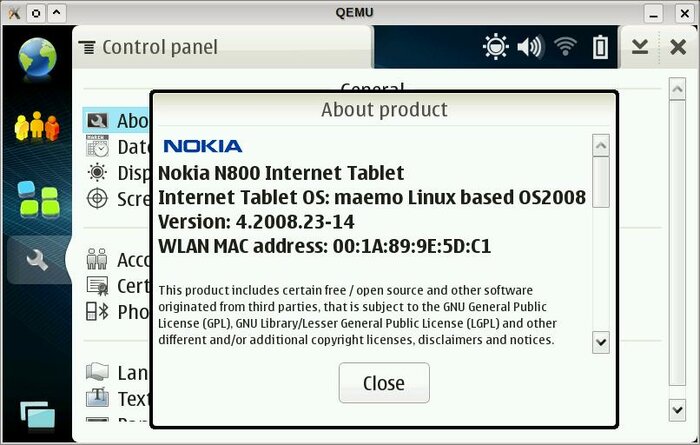
Yesterday I solved that part. After studying how Maemo boots and why does QEmu restarts with wrong config.mtd I grabbed that partition from my N810 and tried again. This time OS2008/Chinook booted fine :)

What is needed? Tablet needs to have “no-lifeguard-reset” flag set. IT can be done by using flasher as this is one of R&D flags. I had it set on my N810 because I did experiments with booting from internal SD card in past.
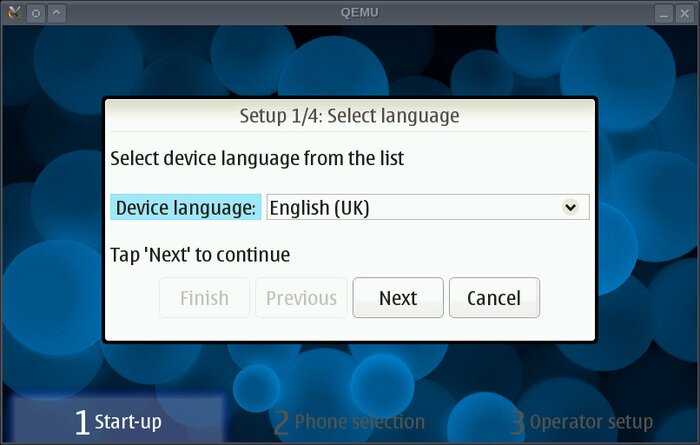
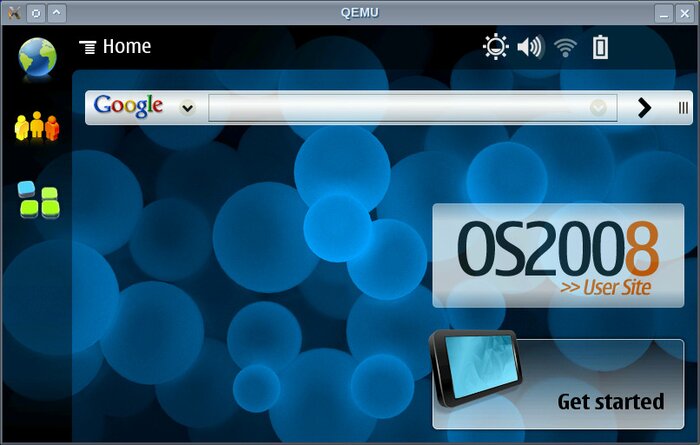
Maemo OS2008 (Chinook) on emulated N800 - first screen Maemo OS2008 (Chinook) on emulated N800 - desktopMaemo OS2008 (Chinook) on emulated N800

Thanks to Faheem Pervez (more widely known as “qwerty12″) who sent me config.mtd dumps (without R&D and with “no-lifeguard-reset”) from his N800 I was able to confirm that this is all what is needed.

Next step will be updating qemu to more recent revision to get N810 emulation (which is present in HEAD) and getting Diablo booted.

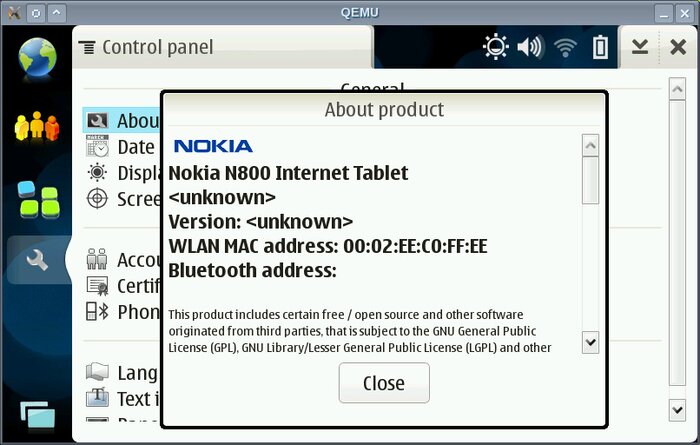
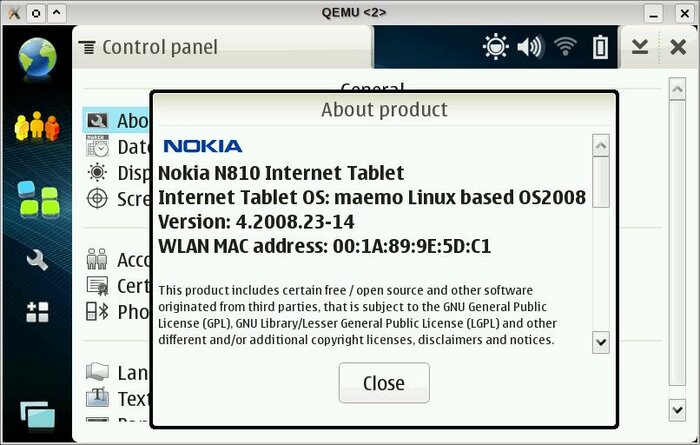
UPDATE: Diablo booted on emulated N800 and N810:
qemu_n800_diablo.jpg

qemu_n810_diablo.jpg

Nokia N810 emulation is more useful as there is a keyboard attached so no need for use of onscreen input methods. There are some things to remember anyway:

  • Alt(Gr) behave like Fn (with sticky status)
  • no CapsLock (but Shift works like on N810 so no big loss)
  • no numeric row — to get “5″ press “Alt+t” like on N810
  • some of other keys are also in weird places
  • Right Shift does not work (N810 has 2 Left Shifts)

NOTE: This is QEmu HEAD — no extra patches were needed to boot Chinook on emulated N800. To boot Diablo “hw/nseries.c” file needs to be edited to change partition info (initfs is twice as big compared to Chinook).

Related posts:

  1. Nokia N800 emulation
  2. Maemo in QEMU N8×0 emulation presentation
  3. Messing with keyboard on Maemo platform
  4. Waiting for N810 to arrive
  5. Localizing Maemo

4 Comments

  1. trickie

    Awesome! We can use this for Mamona also!

    Posted on 01-Aug-08 at 10:33 | Permalink
  2. tz

    The second two pictures are https: with an invalid certificate - the certificate ends in .pl instead of .biz.

    Posted on 02-Aug-08 at 14:50 | Permalink
  3. XTL

    Extremely neat. I wonder if this would make an extra sbrsh target for scratchbox or even more; a better way to test sw besides arm targets and actual device. You might be able to make the jump from that to semi-automatic install/run/test on different software and hardware combinations.

    It would all have to get far enough downstream, though. “Get and build qemu head and edit..” would be an annoying extra step in SDK installs :)

    Posted on 11-Aug-08 at 09:49 | Permalink
  4. @XTL: I hope that one day someone will release normal SDK for Maemo instead of scratchbox stuff which is now used.

    Having Maemo in full QEMU emulation is really handy for testing own applications. The way which is used in Scratchbox is insane for me — using emulation which lack full NPTL support so devels gets messages about unhandled syscalls…

    Posted on 17-Aug-08 at 23:33 | Permalink

One Trackback/Pingback

  1. [...] Aug 1, 2008: » Nokia N8×0 emulation part II » Hrw website [...]

Post a Comment

Your email is never published nor shared. Required fields are marked *
*
*

Comments will be sent to the moderation queue.